macOS · Apple silicon · on device

Speak.
The words are
already there.

Dictation for macOS that never leaves your Mac.

Notes
Listening Normal
⌘ ⇧ Space heldParakeet TDT

The app

A menu bar icon and one hotkey.
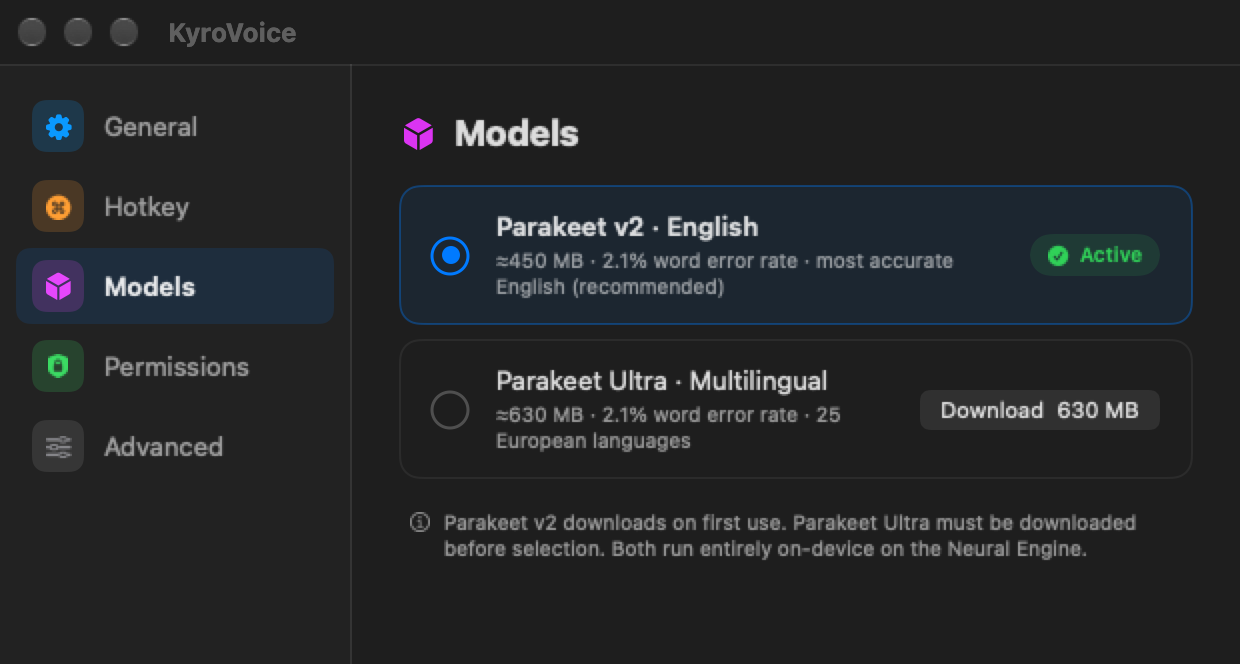
KyroVoice settings, Models pane: Parakeet v2 English active, Parakeet Ultra multilingual available to download.

Two models. English is on by default.

2.1%
v2 word error rate
450 MB
v2 download
25
Ultra languages
630 MB
Ultra download

Downloaded once, then it works offline.

The KyroVoice floating overlay: a small dark pill with a microphone icon and a red waveform.

The overlay while you hold the key.

How

Voice in, text at the cursor.

01

Hold the key

Press starts it, release ends it.

HotkeyManager
02

Capture

Microphone audio at 16 kHz.

AudioRecorder
03

Recognize

Parakeet TDT on the Neural Engine.

SpeechEngine
04

Shape

Rules clean it up for the app you are in.

TextProcessor
05

Inject

Pasted at the cursor, clipboard restored.

ClipboardInjector

Modes

It knows which app you are in.

Normal

Notes, Slack, browsers
um the build is green
The build is green

Email

Mail, Outlook
I've attached the 3 files
I have attached the three files

Code

VS Code, Xcode, iTerm
camel case user profile id
userProfileId

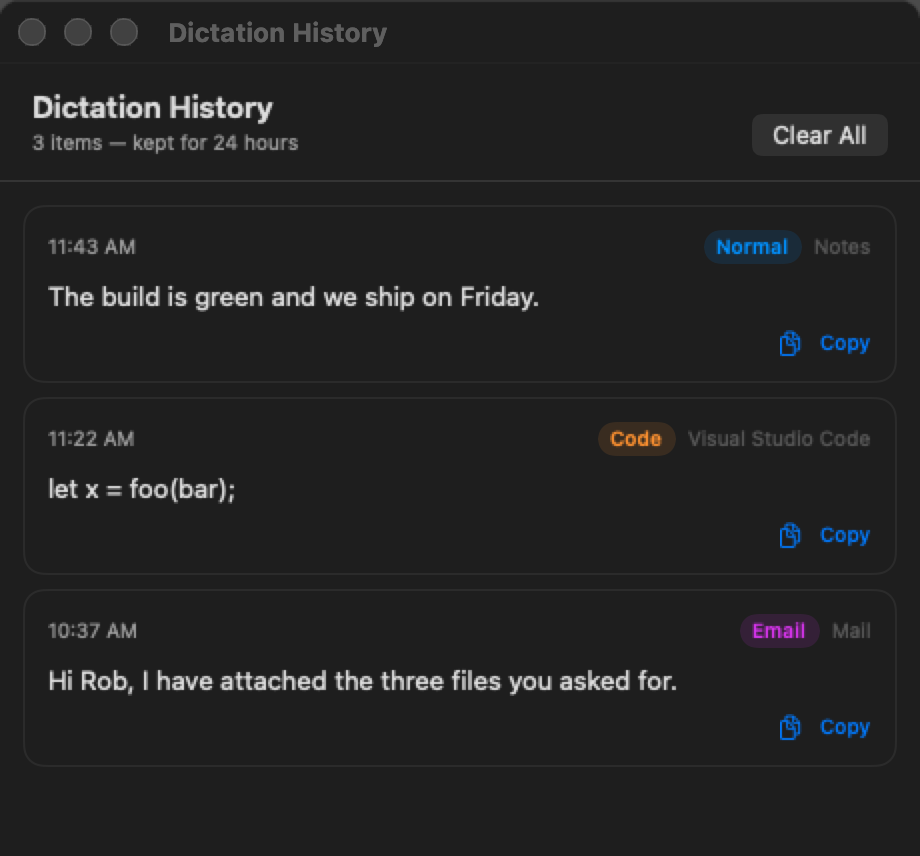
History

Your last 24 hours, then gone.

The KyroVoice history window listing three recent dictations with their mode, target app and a copy button.
  • Kept24 hours. Older entries are deleted the moment the window opens.
  • StoredOne file on your Mac, readable only by you.
  • ClearedClear All, any time.
  • CopyGrab any line again without dictating it twice.

Privacy

Nothing is uploaded.

Install

Clone it and build.

$ git clone https://github.com/sanonrickny/KyroVoice.git
$ cd KyroVoice
$ ./setup_deps.sh   # once
$ make install
  • Hotkey⌘ ⇧ Space, held.
  • NeedsmacOS 14+, Apple silicon, Xcode 15+.
  • PermissionsMicrophone, Accessibility, Input Monitoring.